
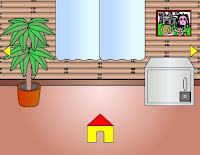
 Wanpa Quest Another 2 - Makaimons Searching 2 is another Wanpa Quest Japanese point-and-click room escape series from Wanpa's Store. Search around the room to find somethings in order to figure out the game. Good luck!
Play This Game
Wanpa Quest Another 2 Walkthrough by Gorka:
1. Click on the left from the bed. Take a knife.
2. Click a few times on a pillow and get a hammer.
3. Turn left. Take a pencil from the middle shelf.
4. Take a screwdriver from the vase.
5. Use a hammer on the smashed statue in the bin a few times and get a golden key.
6. Zoom the clock and click on its left side. Use a screwdriver on a screw and take a battery.
7. Take a note (O) from the upper left of the ladder.
8. Get the blue tweezers from the right hand side of the cupboard.
9. Remember the colors of the books (B, O, G, R).
10. Take a yellow book and read it. Get a note (B).
11. Look at the shelf and take a torch.
12. Zoom the poster and use a knife and a pencil on it. Note the numbers.
13. Click a left leg of the table and take a note (R).
14. Turn left. Look at the bottom left corner of the house and take a note (G).
15. Move the curtains. Zoom the window and take a black rock (bottom right corner).
16. Use a hammer on the rock and get a battery.
17. Turn left. Put the batteries to the torch. Click under the bed. Use the torch and the tweezers. Get a red key.
18. Turn right twice. Use a red key on the chest and take USB key.
19. Zoom the computer. Turn it on. Type the code from the poster (310297) and press ok.
20. Use USB key on the slot. Count the figures. Turn the letters (colors of the books) to the figures and next to the numbers (B = 3, O = 9, G = 0 = x, R = 7). It means: 39 x 7 = 273.
21. Turn left. Use a screwdriver on the screw on the safe.
22. Zoom the panel. Put a code (273) and press ok. Take a silver key.
23. Turn left and go through the door.
Play Random Game
Frequently Asked Questions about Wanpa Quest Another2 - Makaimon's Searching 2 for PC
What is Wanpa Quest Another2 - Makaimon's Searching 2 for PC?
Wanpa Quest Another2 - Makaimon's Searching 2 for PC is an escape game to play and have fun while you try to escape from the room or outdoor place by using your point and click and puzzle solving skills. You may need to find and use hidden items and clues around, combine some items with other items to use them on correct places, and solve some different types of puzzles.
How can I play Wanpa Quest Another2 - Makaimon's Searching 2 for PC?
You can play Wanpa Quest Another2 - Makaimon's Searching 2 for PC game with your mouse and point and click skills to find items and clues, use them on correct places, and solve some puzzles. You can navigate between rooms or screens and you may also zoom on some places to look closer. You may select items from your inventory to use or you may drag and drop them.
How can I solve Wanpa Quest Another2 - Makaimon's Searching 2 for PC?
You can solve Wanpa Quest Another2 - Makaimon's Searching 2 for PC game by looking around to find and use items and clues on correct places, combining items, and solving some puzzles. You can also check comments section for hints or ask to other players to get help from them. If you still can't figure out any part of the game, you can also check video walkthroughs.
Can I post hints for Wanpa Quest Another2 - Makaimon's Searching 2 for PC?
Yes, you can post your comments to share your hints or walkthroughs for Wanpa Quest Another2 - Makaimon's Searching 2 for PC game to help other players. They may check your hints, if they can't figure out some parts of games. You can also reply and help other players, if they ask for help in comments section. We will all be thankful for your help and hints for the games.
Can I play Wanpa Quest Another2 - Makaimon's Searching 2 for PC on my phone or tablet?
Yes, like most of new online escape games here, you can also play Wanpa Quest Another2 - Makaimon's Searching 2 for PC game on your mobile phone or tablet. You just need to visit our website on your mobile device's browser to play games online. We also post and share new mobile escape games to download and play directly on your Android or iOS mobile device.
15 Comments
I'm on a roll...2nd time today to post first...
ReplyDeleteWalkthrough:
ReplyDelete1. Click on the left from the bed. Take a knife.
2. Click a few times on a pillow and get a hammer.
3. Turn left. Take a pencil from the middle shelf.
4. Take a screwdriver from the vase.
5. Use a hammer on the smashed statue in the bin a few times and get a golden key.
6. Zoom the clock and click on its left side. Use a screwdriver on a screw and take a battery.
7. Take a note (O) from the upper left of the ladder.
8. Get the blue tweezers from the right hand side of the cupboard.
9. Remember the colors of the books (B, O, G, R).
10. Take a yellow book and read it. Get a note (B).
11. Look at the shelf and take a torch.
12. Zoom the poster and use a knife and a pencil on it. Note the numbers.
13. Click a left leg of the table and take a note (R).
14. Turn left. Look at the bottom left corner of the house and take a note (G).
15. Move the curtains. Zoom the window and take a black rock (bottom right corner).
16. Use a hammer on the rock and get a battery.
17. Turn left. Put the batteries to the torch. Click under the bed. Use the torch and the tweezers. Get a red key.
18. Turn right twice. Use a red key on the chest and take USB key.
19. Zoom the computer. Turn it on. Type the code from the poster (310297) and press ok.
20. Use USB key on the slot. Count the figures. Turn the letters (colors of the books) to the figures and next to the numbers (B = 3, O = 9, G = 0 = x, R = 7). It means: 39 x 7 = 273.
21. Turn left. Use a screwdriver on the screw on the safe.
22. Zoom the panel. Put a code (273) and press ok. Take a silver key.
23. Turn left and go through the door.
You can leave the room by slashing the hammer on the door: guy is not happy but with congratulations (restart)
ReplyDeleteLeaving with the silver key gives you: congratulation ??
@Gorka: what about the gold key?
Well.. that's all I can do in this room. You can leave with one of this keys or with both of them.
ReplyDeleteBut I don't know japanese, so it's hard to me find the differences :)
I got a guy holding a cup with a star on his chest so I guess that's good.
ReplyDelete@ chprice - if you are not going to add anything constructive to the chat what makes the difference if you are first? I never do get that.
With the walkthrough of Gorka, there doesn't appear a replay button, which I think is the right ending then :p The other endings do have a replay-button.
ReplyDeleteI was wondering about the two "??" after congratulations.
ReplyDeleteIn the olympics there is brons,silver,gold. I will give it another try.
I had this:
ReplyDeletegolden key - :I and next :o + CONGRATULATION !
silver key - :( and next :o + CLEAR !!
golden and silver key - :( + CONGRATULATION ??
He is HI for everybody! I say thanks here, for the much help that you give. I a very youthful one and I am a modern grandma from Hungary, 4 boys I have a grandchild, and my passion the escape games. I am enough smart one with the Japanese games a piece, hahaha, but your help comes well next. I say thank you for it to you once more. With a greeting Irene, from Hungary. ( I ask indulgence for my bad English knowledge, I am acceptable in the German language only)
ReplyDeleteViper....I posted because I could. U don't like it, too bad. And for your info, I have posted good info before. If u want to fuss at someone, fuss at those that write complaining remarks about the games.
ReplyDeleteStart deleting and/or banning idiots who write "first post" posts, plz. That is what most sites on the internet do. Thanks.
ReplyDeletewhen playing this game was anyone diverted like I was to an new game called Wanpa's store Tencho Dungeon?
ReplyDeleteI got to 13th step of Gorka's walktrough and then I accidentaly clicked on the door and the little guy was out:) Nice game.
ReplyDeletei couldnt find the torch but i found both the keys and exited the door and there was the guy with the gold star and a cup so i guess its a good thing.
ReplyDelete=D
working link:
ReplyDeletehttp://wanpa189.net/makaimon2_pc.html
You can post your comments to share your opinion about games, share your hints to help other players or ask help from them. If you can't sign in with your Google account, when you try to post your comment, you have to allow cookies on your browser for this website.
EmojiYou can also check recent comments to help other players, if they need help about games.