
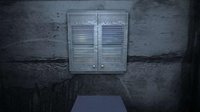
 La Piece is a very strange escape-the-room game. You're in a room and you can make objects appear, by moving your mouse pointer over the walls. Sometimes, you'll have to click on objects.
Click here to play
Play Random Game
Frequently Asked Questions about La Pièce
What is La Pièce?
La Pièce is an escape game to play and have fun while you try to escape from the room or outdoor place by using your point and click and puzzle solving skills. You may need to find and use hidden items and clues around, combine some items with other items to use them on correct places, and solve some different types of puzzles.
How can I play La Pièce?
You can play La Pièce game with your mouse and point and click skills to find items and clues, use them on correct places, and solve some puzzles. You can navigate between rooms or screens and you may also zoom on some places to look closer. You may select items from your inventory to use or you may drag and drop them.
How can I solve La Pièce?
You can solve La Pièce game by looking around to find and use items and clues on correct places, combining items, and solving some puzzles. You can also check comments section for hints or ask to other players to get help from them. If you still can't figure out any part of the game, you can also check video walkthroughs.
Can I post hints for La Pièce?
Yes, you can post your comments to share your hints or walkthroughs for La Pièce game to help other players. They may check your hints, if they can't figure out some parts of games. You can also reply and help other players, if they ask for help in comments section. We will all be thankful for your help and hints for the games.
Can I play La Pièce on my phone or tablet?
Yes, like most of new online escape games here, you can also play La Pièce game on your mobile phone or tablet. You just need to visit our website on your mobile device's browser to play games online. We also post and share new mobile escape games to download and play directly on your Android or iOS mobile device.
2 Comments
WOW...what a strange game...couldn't figure it out though!
ReplyDeleteWALKTHROUGH
ReplyDelete1. Assume the window is the north. The remaining 3 walls will correspong accordingly.
2. Open and close window to switch from light to dark.
3. As you proceed through the game, there will be noises, and the screen will slowly start to go fuzzy and blurry. Try to pay this no mind because it has nothing to do with the game.
4. Start in light. Go to east wall, and wave cursor around until the dresser appears with the wood on top. Grab the wood.
5. Switch to dark. Go to the same east wall, and wave cursor around until the TV appears. Drag the wood onto the TV screen to smash it. The key will appear, and move to the bottom of the screen.
WARNING: The key might look like it is in your inventory which is also at the bottom of the screen. It is not. Make sure you take the key because it is not in your inventory. Otherwise, you will have to start the whole entire thing again.
6. Switch to light. Go to the same east wall. Drag the key onto the dresser. Open the top. There is a power cable. Grab the power cable.
7. Switch to dark. Go to the west wall. Drag the cursor around until the stereo appears on top of a file cabinet. Drag the power cord onto the stereo. Click the stereo to open it. A disk will appear. Grab the disk.
8. Under the stereo is a file cabinet. Click to open. Grab the file. Click to open. Grab the sheet. This is the username and password.
9. Go to the north wall. Drag the cursor around until the computer appears. Open the computer. Drag the disk into the computer.
10. Click on the computer to get the password screen. Enter the user name and password in the following format:
username:password
(Be sure to use lowercase). Press the space bar. It will grant or deny access.
The usernale and password is:
karl84:221821
11. Switch to light. Go to south wall. Open door, and exit.
12. Do not forget to submit a complaint about how utterly poinless and annoying the noise, fuzz, and blur is. The game would be way better without it.
FINISH
You can post your comments to share your opinion about games, share your hints to help other players or ask help from them. If you can't sign in with your Google account, when you try to post your comment, you have to allow cookies on your browser for this website.
EmojiYou can also check recent comments to help other players, if they need help about games.